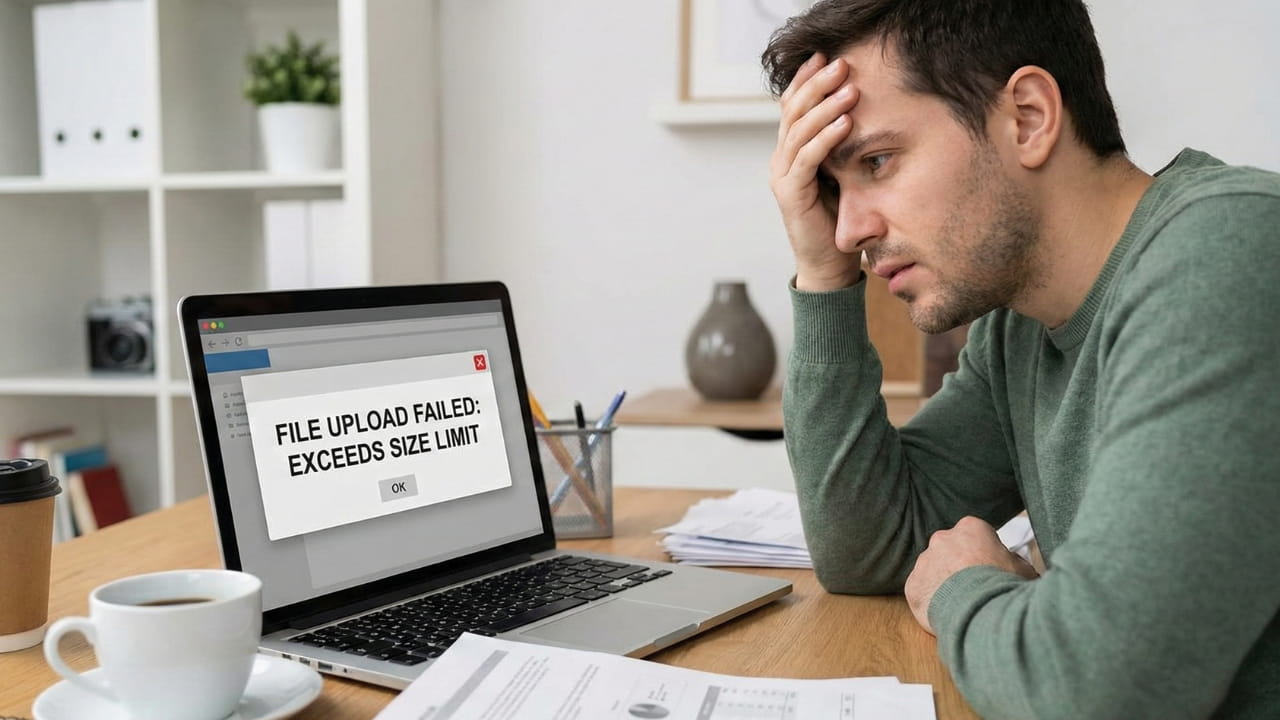
It starts with a simple need. You have a bank statement, a tax return, or a legal contract that needs to be merged, compressed, or converted. You open Google, type in "free pdf merger," and click the first link. The website asks you to "Upload File." You drag your sensitive document onto the page, watch the progress bar hit 100%, and download your result.
Stop right there.
Do you know where that file just went? In 99% of cases, that file just traveled across the internet to a server farm located in a different country. It was stored on a hard drive you don't own, processed by software you can't see, and essentially handed over to a third party. Even if they promise to delete it, the moment that file leaves your computer, you have lost control.
For years, this "upload-process-download" cycle was the only way to edit documents online. The web browser was simply too weak to handle heavy lifting, so remote servers had to do the work. But in 2026, that excuse is no longer valid.

At NanoZipt, we adhere to what we call the "Zero-Upload Manifesto." It is a commitment to a new architecture of the web where your data never leaves your device. Here is why server-side tools are obsolete, and why Client-Side (WASM) technology is the only safe way forward for your digital life.
The Hidden Risk of "Cloud" Processing
Think of using a traditional online converter like handing your wallet to a stranger so they can count your money for you. Sure, they might give it back, but you've exposed yourself unnecessarily. The process looks like this:
Traditional Workflow (The Danger Zone)
- Upload: Your file is sent via HTTP/HTTPS to a remote server. This relies on your internet speed and exposes data to "Man-in-the-Middle" attacks.
- Storage: The server saves a temporary copy of your file on a physical disk.
- Processing: A backend script (Python/PHP) manipulates the file. Who wrote this script? Does it save a backup? You don't know.
- Download: You download the new file, creating yet another data transfer point.
- Deletion (Maybe?): The server claims to delete the file after 1 hour. But "delete" often just means "remove the link," leaving the data on the drive until it's overwritten.
The vulnerability lies in every single step. Even with encryption (HTTPS), you are entrusting your data to a black box. What if that server is hacked? What if the "auto-delete" script fails? What if the company quietly analyzes metadata for advertising purposes?
For a high school essay, this might not matter. For a medical record, a signed NDA, a patent application, or a financial invoice, it is a massive security breach waiting to happen. In the corporate world, using such tools can be a fireable offense due to compliance violations.
Enter WebAssembly: The Game Changer
So, how do we fix this? The answer lies in a revolutionary technology called WebAssembly (WASM).
WebAssembly allows web browsers to run complex, high-performance code that used to be possible only on native desktop applications like Photoshop or Acrobat. Instead of sending your file to the tool, we send the tool to your file.
When you visit NanoZipt to Merge a PDF or Add a Watermark, your browser downloads a small packet of code—the "engine." This engine runs entirely inside your Chrome, Safari, or Edge browser's sandbox. It utilizes your computer's CPU and RAM to process the file instantly.
The NanoZipt Workflow (Secure)
Step 1: You load the webpage. The "Engine" downloads to your RAM in milliseconds.
Step 2: You select a file. The engine processes it offline on your CPU. No data leaves.
Your file never touches the internet cable. It's like using installed software, but without the installation.
3 Reasons Why You Should Switch Today
1. Uncompromised Privacy (GDPR & CCPA)
Because we never touch your files, we don't need to ask for your consent to store them—because we don't store them. You remain the sole custodian of your data. This makes NanoZipt instantly compliant with strict data protection regulations like GDPR (Europe) and CCPA (California).
Real World Scenario: Imagine you are a freelancer working with a strict Non-Disclosure Agreement (NDA). You need to compress a PDF before emailing it. If you use a cloud converter, you technically just shared that confidential document with a third party, violating your NDA. With NanoZipt, the file stayed on your machine, keeping your contract—and your reputation—safe.
2. Lightning Speed (Zero Latency)
Have you ever tried to upload a 50MB PDF on a slow coffee shop Wi-Fi? It takes forever to upload, process, and download again. With client-side processing, there is zero upload time. The moment you drop the file, your computer's processor starts working.

Modern laptops and smartphones are incredibly powerful. Even a 5-year-old phone has enough processing power to manipulate PDFs instantly. Why let that power go to waste while you wait in a server queue? Using your own hardware is almost always faster than the round-trip to a cloud server.
3. No File Size Limits
Server-based tools have to pay for storage and bandwidth. That's why they limit you to "2 Files per day" or "Max 5MB." They are trying to save money. Since NanoZipt uses your hardware, we don't care if your file is 500MB or if you want to convert 1,000 images. We don't pay for the storage—you do (it's your RAM). This allows us to offer Enterprise-level features for free without arbitrary restrictions.
How to Verify "Client-Side" Claims
In an age of misinformation, "Trust, but verify" is the golden rule. We encourage you to test our claims yourself:
- The Airplane Mode Test: Load any of our tools (like our PDF to JPG converter). Once the page is loaded, turn off your Wi-Fi or unplug your ethernet cable. Drop a file in. If it works perfectly, it's client-side. If it fails or spins forever, it was trying to upload your data. (Spoiler: NanoZipt works perfectly offline).
- Check the Network Tab: If you are tech-savvy, open Chrome Developer Tools (F12) and go to the Network tab. Process a file on NanoZipt. You will see zero POST requests sending file data out. The only traffic is the initial download of the web page assets.
Conclusion: Security is a Choice
The internet is becoming more dangerous, not less. Data breaches are daily news, and automated bots are constantly scouring the web for exposed data buckets. In this environment, relying on "security through obscurity" (hoping no one looks at your uploaded files) is reckless.
By choosing browser-based tools that adhere to the Zero-Upload Manifesto, you aren't just getting a free service; you are taking an active, intelligent step to secure your digital footprint. You are closing the door on data leaks before they can even happen.
Next time you need to merge an invoice or compress a report, ask yourself: "Does this file really need to leave my computer?" If the answer is no, you know where to go. Welcome to the future of document management—private, fast, and yours.